ABC Games: Phonics & Tracing
Bebi Family: preschool learning games for kidsEducational
4.72.26K Reviews
- Version
- 19.14.09
- Installs
- 5.00M
- Age Rating
- Everyone
Screenshots
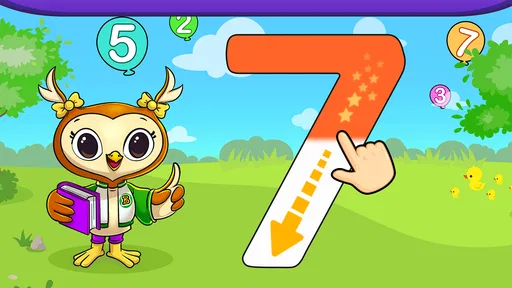
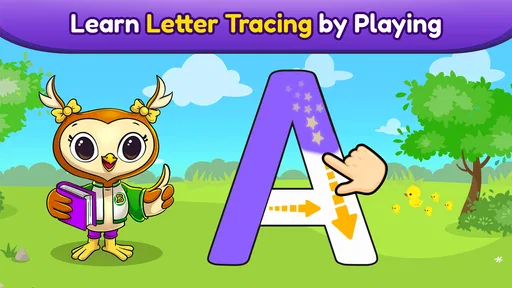
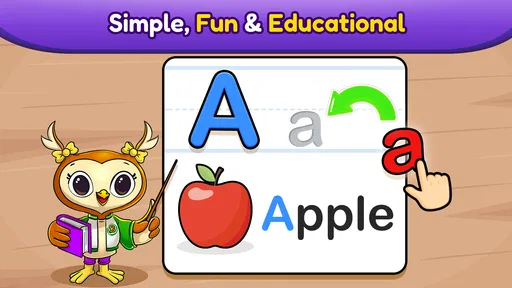
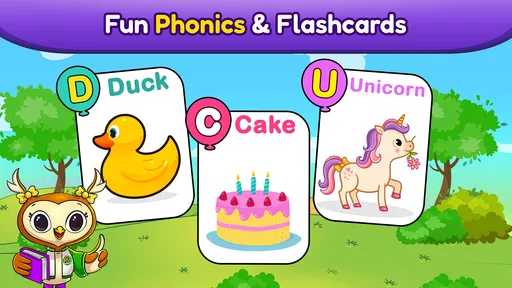
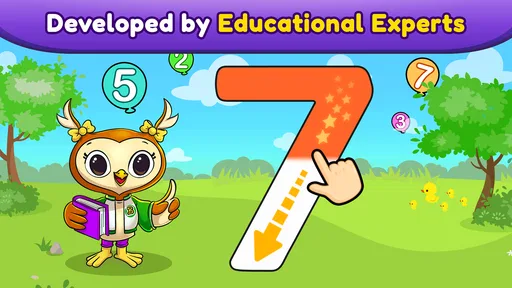
Our Review of ABC Games: Phonics & Tracing
 Analysis by Appyee
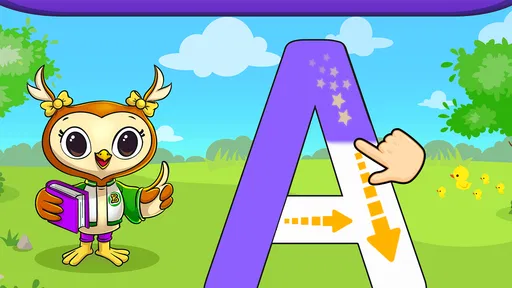
Helping a young child take the first step toward letters can be surprisingly difficult. A screen activity has to be simple enough for a toddler to understand, calm enough to hold attention, and useful enough to do more than flash bright pictures. After spending time with ABC Games: Phonics & Tracing, I found it works best as a short, guided learning game rather than as a complete reading course. It gives children a friendly place to meet the alphabet, hear letter sounds, and practise early writing movements without making the experience feel like a formal lesson.
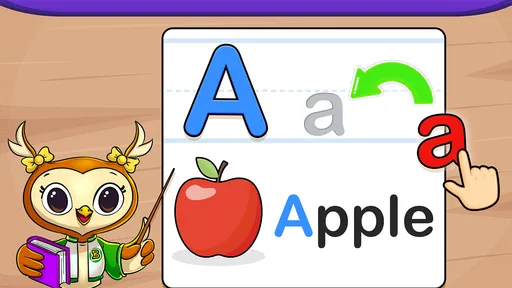
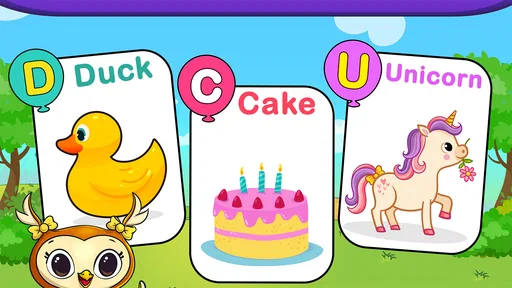
The game is aimed at toddlers and preschool children, and its educational focus is clear from the first interaction. It combines alphabet recognition, phonics practice, and tracing activities in one package. That combination matters because a child may recognise a letter visually but still not know its sound or how to form it. I like that the app brings those ideas together instead of treating the alphabet as a simple memorisation exercise.
It is free to start, carries an Everyone age rating, and comes from Bebi Family: preschool learning games for kids. The app has been available since October 30, 2019, and its current version is 19.14.09 for devices running Android 6.0 or later. Those details make it accessible to many families using an older Android phone or tablet, although the actual experience will still depend on the device’s screen size and responsiveness.
What the first session feels like
My recommendation is to sit with the child during the first session instead of handing over the device and walking away. The activities are designed for young learners, but a toddler may still tap randomly, move too quickly, or become distracted by the visual elements. A few minutes of adult guidance is enough to show that the goal is to listen, look, and trace rather than simply touch everything on the screen.
The strongest part of the experience is its narrow focus. This is not a broad collection of puzzles, stories, drawing tools, and unrelated mini-games. It concentrates on the alphabet and early literacy. That makes it easier to use when you have a specific goal, such as revising a few letters before preschool or giving a child a gentle introduction to phonics.
The store summary highlights an ad-free experience, which is especially important for a preschool app. Unexpected advertising can interrupt concentration and lead a child toward taps that have nothing to do with learning. In my experience, an uncluttered learning screen is more valuable than a large number of extra activities. Parents can focus on the child’s response instead of watching for distractions.
The app has a 4.7 average from around 31 thousand ratings, with more than two thousand written reviews, and it has passed over five million installs. Those figures suggest that it has reached a substantial audience, but popularity should not be confused with a perfect fit. A child who enjoys tracing and repetition is likely to get more from it than a child who needs physical letter cards, conversation, or a teacher’s feedback.
Setting it up for a calm start
Before beginning, I would prepare the device in a way that reduces accidental interruptions. Put it on a stable surface, clean the screen, and choose a moment when the child is not already tired or hungry. A tablet is usually more comfortable than a phone because tracing needs enough room for a small finger to follow a path. If a phone is the only option, shorter sessions can prevent frustration.
It is also worth deciding what “success” means before opening the game. For a first session, success does not have to mean completing a whole alphabet. It might simply be that the child listens to one sound, identifies one letter, or follows part of a tracing path. This small target changes the mood from testing performance to building confidence.
The game is free, while in-app purchases are listed at $2.99 per item. I would explain this to another adult using the device and keep purchase decisions in the adult’s hands. A child does not need to understand payment screens in order to benefit from an alphabet activity. The free starting point makes it practical to try the learning style first, then decide whether any optional purchase is worthwhile for your family.
One useful setup habit is to keep a small paper notebook nearby. When the child completes a letter activity, write that letter down and ask the child to find it on a cereal box, book cover, or sign later in the day. This turns a screen interaction into a real-world recognition game. It also shows whether the child is learning the letter or merely following the movement on the screen.
The first meaningful success
I would begin with a letter the child already sees often, perhaps the first letter of their name. That gives the activity an immediate personal connection. Let the child hear the sound, look at the shape, and attempt the tracing without correcting every movement. If the child finishes only part of the path, praise the attention and try again later rather than turning the moment into handwriting practice.
Tracing on a screen is not the same as writing with a pencil. The finger does not receive the same resistance, and the child is not developing exactly the same hand control. Still, digital tracing can be a useful introduction to direction and shape. I see it as preparation, not a replacement for paper, crayons, magnetic letters, or conversation with an adult.
A good first routine is short and predictable: choose one or two letters, listen to their sounds, trace them, and then look for those letters away from the device. This is one of the most effective ways to use the game because it prevents passive tapping. The app supplies the prompt, while the adult supplies the connection to everyday language.
Another practical tip is to ask the child to say the sound before moving to the next activity, even if the game already provides audio. That small pause encourages active recall. If the child cannot answer, simply model the sound and continue. The aim is to make participation comfortable, not to create a quiz that a preschooler can fail.
Where new users may become confused
Young children often assume that every colourful object on a screen should be tapped repeatedly. When that happens, I guide the child back to the visible letter or the tracing movement and use simple language such as “listen first” or “follow the line.” Adults should expect a little exploration at the beginning. It is normal for a toddler to learn the controls before learning the content.
Another common misunderstanding is treating a completed tracing path as proof that the letter has been learned. A child may memorise the motion without recognising the letter elsewhere. To check understanding, show the same letter in a book or on packaging and ask the child to point to it. If recognition is weak, repeat the app activity later but keep the real-world example part of the routine.
Phonics can also confuse children when adults pronounce letters differently from the way they say the whole alphabet. I would avoid lengthy explanations and use familiar examples. Say the sound naturally, connect it to a simple word, and let the app reinforce the association. If your child is still developing speech, listening and pointing may be a more realistic goal than expecting a clear spoken response.
The ad-free design removes one major source of interruption, but it does not remove every possible obstacle. A child can still lose interest, struggle with a small screen, or become frustrated by tracing accuracy. When that happens, changing the physical setup or ending the session is usually better than repeating the same instruction louder. The app is a tool, not a substitute for noticing the child’s mood.
How I would use it during an ordinary day
Imagine a child waiting while a parent prepares dinner. Instead of opening a general video app, the parent offers a brief alphabet session. The child chooses a familiar letter, listens, traces it, and then the parent points to that letter on a food package. After a few minutes, the device is put away. That is a realistic use case: a contained activity with a clear beginning and end, not an attempt to occupy a child indefinitely.
For preschool preparation, I would use the game several times across a week rather than trying to cover everything in one sitting. One session could focus on recognising letters, another on sounds, and another on tracing. Even when the app presents these ideas together, the adult can choose which part deserves attention. This approach is less tiring and gives the child time to remember what was practised.
It can also help during travel or waiting-room moments because the learning goal is easy to explain. However, I would not rely on it as the only travel activity. A child benefits from looking out of the window, talking, handling physical books, and taking breaks from the screen. The game is most useful when it fills a small gap, not when it becomes the entire day’s entertainment.
For children who resist pencil work, the touchscreen may feel less intimidating. They can practise the general shape of a letter with a finger before moving to paper. The trade-off is that the screen is forgiving and may not reveal the same control problems that appear with a crayon. After an app session, I would offer a large sheet of paper and encourage broad letter shapes without demanding neat handwriting.
What it does better than familiar alternatives
Compared with alphabet videos, this game offers more active participation. A video can provide repetition and sound, but the child usually watches rather than responds. Here, the child has to make a choice or follow a letter shape. That extra action can make the session feel more purposeful, especially for children who lose interest when they are only watching.
Compared with physical flashcards, the app can combine visual recognition, sound, and tracing in one place. Flashcards remain excellent for conversation and flexible play, but they do not automatically guide a child’s finger along a letter. The digital format is convenient when a parent wants a ready-made activity without gathering materials.
Compared with a full preschool curriculum, however, this is narrower. It does not replace story reading, vocabulary building, pencil control, listening games, or the social feedback of a classroom. Families looking for structured progress through reading may prefer a broader learning program or a teacher-led approach. I would choose this game for focused alphabet practice, not as the only educational resource.
The ad-free presentation is another practical advantage over many general children’s apps. Parents are less likely to face a learning session interrupted by unrelated promotions. Still, the presence of optional purchases means adults should remain involved when the child uses the device. Free access is a good way to evaluate the core experience, but families should decide in advance whether they want to spend money on additional items.
Small techniques that make the activities more useful
First, rotate between recognition and movement. After tracing a letter, ask the child to find it among two or three letters on paper. This prevents the finger movement from becoming an isolated skill. If the child succeeds, add the sound; if not, return to the visual shape without pressure.
Second, use the child’s name carefully. The first letter is motivating, but repeating only familiar letters can create an uneven foundation. Once interest is established, introduce a less familiar letter for contrast. Pairing a known letter with a new one gives the child a reason to compare shapes and sounds instead of tapping through a memorised routine.
Third, stop while the child is still comfortable. Preschool learning is often more effective in small repetitions than in one long session. If the child starts rushing, pressing randomly, or asking to leave, that is useful feedback. Ending positively makes it easier to return later and protects the game from becoming associated with correction.
Fourth, let the child explain what happened. Ask, “Which letter was that?” or “Where did your finger go?” Even a short answer reveals whether the child understood the activity. This is a hidden strength of using the app with an adult: the parent can observe learning in a way that an automatic completion screen cannot.
Who should choose it, and who should look elsewhere
I think it is a good match for families wanting a gentle first introduction to letters, especially when the child enjoys touchscreens and benefits from repeated practice. It is also useful for parents who want something more interactive than a video but simpler than a large educational platform. The free entry point makes trying it less complicated, and the Everyone rating suits its preschool audience.
I would be more cautious if a child becomes overstimulated by digital activities, has difficulty using a small touchscreen, or needs direct support with speech and fine-motor development. In those situations, physical materials and adult-led play may be more effective. Children who already recognise the alphabet and read simple words may also find the content too basic.
Families seeking detailed progress tracking, a broad sequence of reading lessons, or a strong emphasis on handwriting should compare it with a dedicated literacy program. This app’s strength is approachability. Its limitation is that approachable alphabet practice cannot cover every part of early reading. That is not a flaw so much as a boundary worth understanding before making it a regular part of a learning plan.
My recommendation after the first week
After using it as a short, guided activity, I would keep it available for preschool practice, but I would pair it with books, spoken games, and paper drawing. The most meaningful results come when the child carries a letter away from the screen and notices it in the world. That is where a digital exercise becomes part of genuine learning rather than an isolated distraction.
My overall view is positive because the game keeps its purpose clear. It introduces alphabet shapes, sounds, and tracing in a format that is easy for a young child to approach. The strongest routine is not “let the app teach everything,” but “use the app to start a conversation, then continue that learning offline.”
ABC Games: Phonics & Tracing is worth trying if you want a focused, free educational game for early alphabet practice and you are willing to stay involved. I would not present it as a complete reading solution, and I would not use it as an automatic babysitter. Used for a few intentional minutes, followed by real books or objects to identify, it can give a first-time learner a reassuring path from tapping a letter to recognising it in everyday life.
Verdict
Strengths of ABC Games: Phonics & Tracing
- Fun mini-games make early phonics practice feel engaging.
- Tracing activities help children build letter-writing confidence.
- Simple visuals are suitable for preschool and kindergarten learners.
- Short activities work well for brief practice sessions.
- Supports independent play with clear, child-friendly interactions.
Limitations of ABC Games: Phonics & Tracing
- Some content may feel repetitive after frequent use.
- Progress tracking may be limited for parents and teachers.
- Certain activities can be too easy for advanced learners.
- Extra features or content may require in-app purchases.
- Requires a compatible device with enough storage space.
Other Releases by Bebi Family: preschool learning games for kids
View All
Baby Puzzle Games for Toddlers
Educational4.7

Baby Games for 1-3 Year Olds
Educational4.5

Bebi: Baby Games for 2-4y kids
Educational4.6

Coloring games for kids: 2-5 y
Educational4.3
Similar Picks in This Category
View All
Little Panda Policeman
BabyBus4.0

Monster Trucks Game for Kids 2
Raz Games4.1

Little Panda's Chinese Recipes
BabyBus4.4

Little Panda's Restaurant
BabyBus4.4

Little Panda's Ice Cream Games
BabyBus4.3

Baby Panda Care
BabyBus3.8
Frequently Asked Questions
What is ABC Games: Phonics & Tracing designed to teach?
ABC Games: Phonics & Tracing is an early-learning app designed to help young children become familiar with the alphabet, letter sounds, and basic handwriting movements. It typically combines interactive phonics activities with tracing exercises, allowing children to recognize letters, hear their pronunciation, and practice forming uppercase and lowercase characters in a playful environment.
Is ABC Games: Phonics & Tracing suitable for preschool children?
The app is mainly aimed at preschoolers and children beginning their first literacy lessons. Its simple touch controls, colorful presentation, and short activities can make it accessible for young learners, although children may still need occasional help understanding instructions or holding the device correctly. Parents should choose the difficulty and activities according to the child’s age and current reading ability.
Does the app require an internet connection to play?
Some versions of ABC Games: Phonics & Tracing may allow children to use the main lessons without a continuous internet connection after installation, but availability can depend on the platform and app edition. Internet access may still be required for downloading the application, restoring purchases, receiving updates, or displaying optional advertisements. Check the store listing before downloading.
Are there advertisements or in-app purchases in ABC Games: Phonics & Tracing?
The presence of advertisements, premium activities, or in-app purchases can vary between versions for Android and iOS. Parents should review the app-store description and purchase settings before allowing a child to use it independently. If advertising is included, enabling parental controls or using a device’s purchase restrictions is recommended to prevent accidental taps and unauthorized transactions.
Can ABC Games: Phonics & Tracing replace preschool reading instruction?
ABC Games: Phonics & Tracing works best as a supplementary learning tool rather than a replacement for a teacher, parent, or structured literacy program. It can provide useful repetition for letter recognition, phonics practice, and tracing, but children benefit from conversations, books, handwriting with paper, and personalized guidance. Adult supervision also helps correct pronunciation and reinforce what each activity teaches.
Play our best games!


